Structured Programming - Week 1 Notes
Program Structure
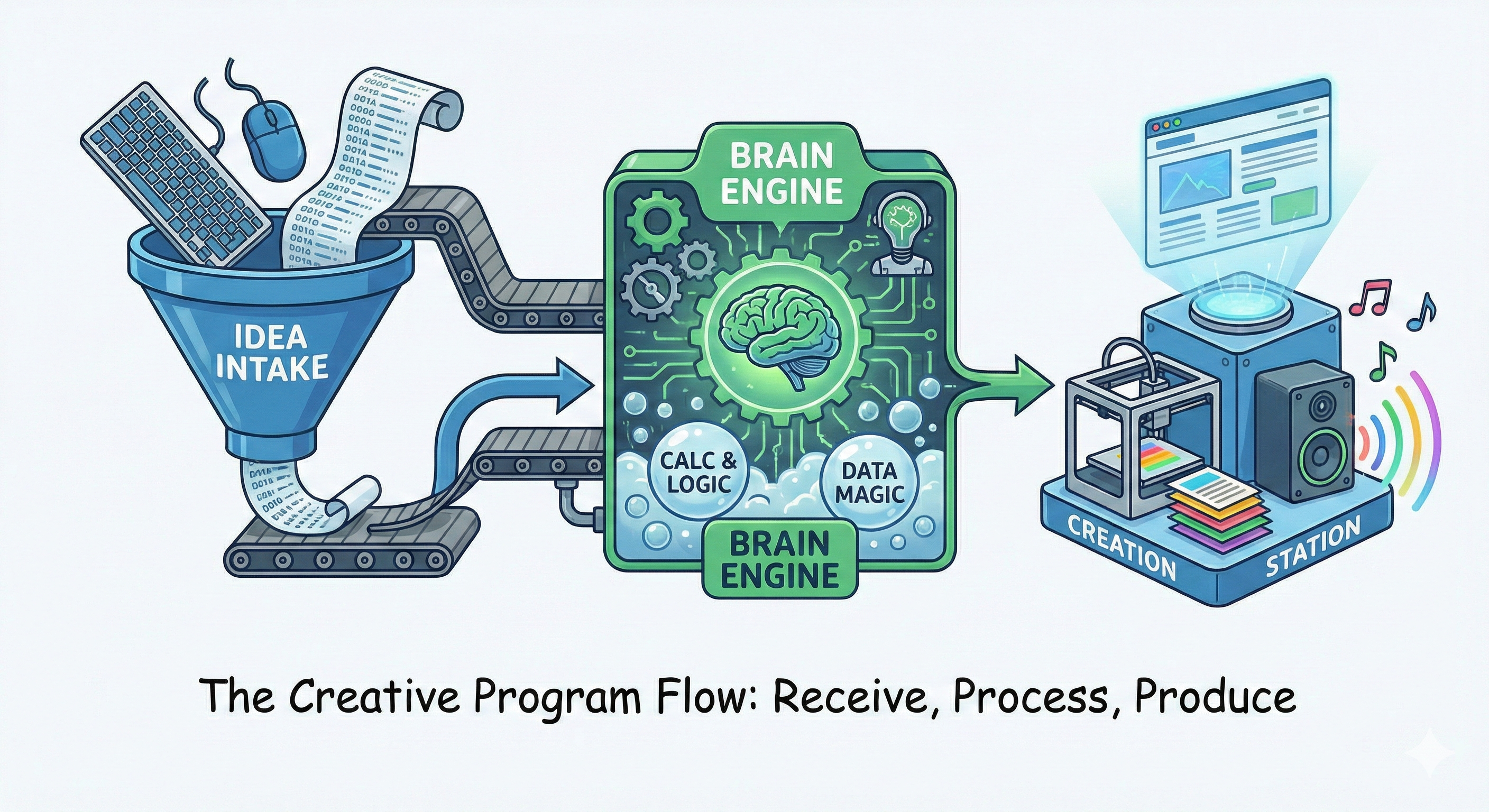
Your program typically follows this pattern:
- Receive inputs
- Process the inputs
- Produce outputs
A Simple Program in C
Here is a simple C program that prints “Welcome To Structured Programming” to the screen:
#include <stdio.h>
int main() {
    printf("Welcome To Structured Programming\n");
    return 0;
}
A Simple Program in C++
Here is a simple C++ program that prints “Welcome To Structured Programming” to the screen:
#include <iostream>
using namespace std;

int main() {
    cout << "Welcome To Structured Programming\n";
    return 0;
}
Explanation
#include <stdio.h>: This line tells the compiler to include the Standard Input Output library. This library contains the definitions for functions likeprintf/scanfthat we use to output/input text.
#include <iostream>: This line tells the compiler to include the Standard Input Output library. This library contains the definitions for functions likecout/cinthat we use to output/input text.
int main(): This is the main function where the program execution begins. Every C program mustEvery C++ program must have exactly one main function.{ ... }: The curly braces define the scope or body of the function. All the code for themainfunction lives inside these braces.
printf("Welcome To Structured Programming\n");: This function prints the text “Welcome To Structured Programming” to the screen.
cout << "Welcome To Structured Programming\n";: This function prints the text “Welcome To Structured Programming” to the screen.
return 0;: This statement terminates themainfunction and returns the value0to the operating system. A return value of0generally signifies that the program executed successfully.
Output Statements in C
Output Statements in C++
Simple Output with cout
- Used for simple string output with no formatting
- Can only print strings
Example:
cout << "Hello and welcome to Structured Programming class";
Printing Strings (Character Arrays):
char name[] = "Essam";
cout << "Hello, " << name << "!" << endl;
Simple Output with puts()
- Used for simple string output with no formatting
- Automatically appends a newline at the end
- Can only print strings
Example:
puts("Hello and welcome to Structured Programming class");
Formatted Output with printf()
- Allows formatted output and supports multiple data types
Example:
printf("Hello and welcome to Structured Programming class");
Printing Strings (Character Arrays): Use the %s format specifier to print strings with printf:
char name[] = "Essam";
printf("Hello, %s!\n", name);
Formatted Output in C++
- Use
iomanipmanipulators withcoutto format outputs like floats. #include <iomanip>: This line tells the compiler to include the Input/Output Manipulators library. It provides tools for formatting output, such assetprecisionto control decimal places.
Example:
// Set precision to 2 decimal places and fixed-point notation
cout << fixed << setprecision(2) << 3.14159;
Variables
What is a Variable?
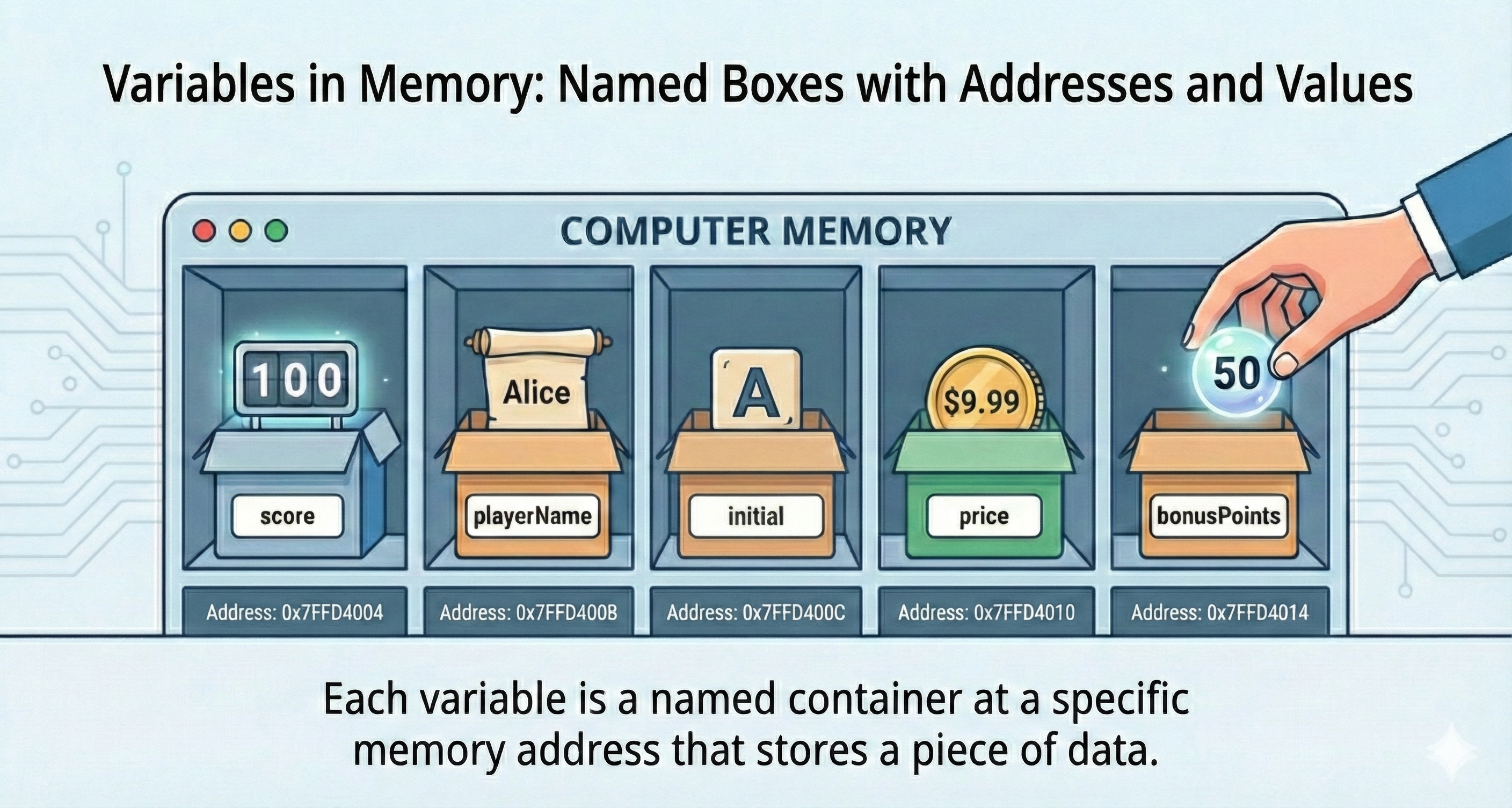
A variable is a named memory location that stores a value. Each variable has:
- Name
- Data (value)
- Address (memory location)
Data Types
Common data types in C:
int: Whole numbers without fractions (e.g., 34, 0, -1, 159)long int: Larger whole numbers (e.g., 9000000L)char: Single characters (e.g., ‘s’, ‘A’, ‘#’, ‘+’, ‘8’)float: Real numbers with decimals (e.g., 2.0, -137.42, 0.0001)double: High-precision real numbers (e.g., 3.1415926535)
Common data types in C++:
int: Whole numbers without fractions (e.g., 34, 0, -1, 159)long int: Larger whole numbers (e.g., 9000000L)char: Single characters (e.g., ‘s’, ‘A’, ‘#’, ‘+’, ‘8’)float: Real numbers with decimals (e.g., 2.0, -137.42, 0.0001)double: High-precision real numbers (e.g., 3.1415926535)bool: Boolean values (true or false)
Declaring Variables
To declare a variable, specify the data type followed by the variable name:
int number;char grade;float weight;
Variables can be:
- Declared:
char grade; - Initialized:
weight = 65.7; - Both:
int number = 10;
Naming Rules
Rules for variable names:
- Can contain alphanumeric characters and underscores
- No special characters (except underscore)
- Cannot start with a number
- Cannot be a reserved word (e.g., if, while, return)
- Must be unique within the same scope
A2test3_Astudent_nameEmployeeSalaryahmad
2A(starts with number)#A(special character)student name(space)Employee-Salary(hyphen)if(reserved word)
Note: Variable names in C are case-sensitiveVariable names in C++ are case-sensitive. This means
sum,Sum, andSUMare three different variables.
Constant Variables
- Store a value that cannot be changed after assignment
- Must be assigned at declaration time
- Use
constbefore the data type
Examples:
const int MAX_GRADE = 100;
const float PI = 3.14;
Warning: If you try to assign a value to a constant variable after its declaration, you will get a compilation error:
const int MAX = 100;
MAX = 200; // Error: assignment of read-only variable 'MAX'
Arrays (Introduction)
An array is a group of consecutive memory locations that all have the same name and the same data type.
To refer to a specific element within an array, we specify the array name followed by the position number (or index) in square brackets [].
Note: Array indices in CC++ always start at
0. So the first element is at position0, the second is at position1, and the last element is at positionn - 1(where n is the number of elements).
Note: Since arrays are a more advanced topic, they will be covered in much greater detail in later weeks.
Declaring and Initializing Arrays
When defining an array, you must specify its type, name, and the number of elements:
int c[12]; // An array of 12 integers
float myArray[3284];
char userName[50];
You can initialize an array when you declare it:
float myList[4] = {1.9, 2.9, 3.4, 3.5};
If you provide fewer initializers than the array size, the remaining elements become 0. Provide too many, and you get an error.
Array of Characters (String)
An array of characters can be used to store a string (which is covered more later):
char studentName[] = {'A', 'L', 'I'};
// Or more simply:
char studentName2[] = "ALI";
Input Statements in CC++
Simple Input with cin
the cin is a stream object that is used to read input from the user.
Example:
cin >> age;
- age: the variable name
Reading Strings (Arrays of Characters): You can also read a string using cin:
char name[50];
cin >> name;
Note:
cinwill only read up to the first whitespace (space, tab, or newline).
scanf() Function
The scanf() function allows user input to be stored in variables.
For an integer variable named age:
scanf("%d", &age);
%d: Format specifier for integers&age: Address-of operator to store the value in the correct memory location
Reading Strings (Arrays of Characters): For a string, you use %s, and you do not use the & operator:
char name[50];
scanf("%s", name);
Note:
scanfwith%swill only read up to the first whitespace (space, tab, or newline).
Format Specifiers
Format specifiers act as placeholders inside the string. They tell the function (printf or scanf) exactly what type of data to process.
%d: Decimal Integer - Tells the function to print or read a whole number (e.g.,10,-5).%f: Float - Prints a real number. By default, it prints 6 decimal places (e.g.,3.140000).%c: Character - Prints or reads a single character (e.g.,'A').%s: String - Prints or reads a text string (e.g.,"Hello").
scanf Whitespace Issue
Note: In C, you need to add a space before
%cinscanfwhen you want to skip whitespace characters (like\n, space, or\t) left in the input buffer from previous input.
scanf("%d", &x);
scanf(" %c", &ch); // Note the space before %c
Formatting Output
The printf() function supports various formatting options:
Basic Formatting
printf("Name: %s, Number: %d, Grade: %.2f", "Essam", 7, 95.5000);
// Output: Name: Essam, Number: 7, Grade: 95.50
Width and Precision
printf("Decimals: %d\n", 1977);
// Output: Decimals: 1977

printf("Preceding with blanks: %10d\n", 1977);
// Output: Preceding with blanks:       1977

printf("Preceding with zeros: %010d\n", 1977);
// Output: Preceding with zeros: 0000001977

printf("Floats: %4.2f\n", 3.1416);
// Output: Floats: 3.14

printf("Characters: %d %c\n", 'a', 65);
// Output: Characters: 97 A
In C++, use <iomanip> manipulators to achieve similar formatting:
Note: In C++, you can use
endlor"\n"to output a newline.endlalso flushes the output buffer, while"\n"does not. For most purposes,"\n"is preferred as it is faster.
Basic Formatting
cout << "Name: " << "Essam" << ", Number: " << 7
     << ", Grade: " << fixed << setprecision(2) << 95.5000 << endl;
// Output: Name: Essam, Number: 7, Grade: 95.50
Width, Fill, and Precision
cout << "Decimals: " << 1977 << endl;
// Output: Decimals: 1977

cout << "Preceding with blanks: " << setw(10) << 1977 << endl;
// Output: Preceding with blanks:       1977

cout << "Preceding with zeros: " << setfill('0') << setw(10) << 1977 << endl;
// Output: Preceding with zeros: 0000001977

cout << "Floats: " << fixed << setprecision(2) << 3.1416 << endl;
// Output: Floats: 3.14

cout << "Characters: " << (int)'a' << " " << 'A' << endl;
// Output: Characters: 97 A
Escape Sequences
Special characters for formatting output:
\n: Newline\": Double quote\t: Tab\a: Alert (bell)\\: Backslash
Comments
Comments improve code readability and are ignored by the compiler.
Single-line Comments
// This is a single-line comment
Multi-line Comments
/*
This is a multi-line comment
that spans multiple lines
*/
Assignment and Math Operations
Assignment
X = 231;
Arithmetic Operations
- Addition:
X + 6 - Subtraction:
X - 8 - Multiplication:
X * 90 - Division:
X / 3 - Modulus (remainder):
X % 7
Operator Precedence
When multiple operations are present:
- Parentheses
()(innermost first if nested) - Multiplication
*, Division/, Modulus% - Addition
+, Subtraction-
Operations at the same level evaluate from left to right.
Pre/Post Increment and Decrement
Increment
Post-increment:
int a = 5;
int b;
b = a++;  // Equivalent to: b = a; a = a + 1;
printf("%d %d\n", a, b);  // Output: 6 5
Pre-increment:
int a = 5;
int b;
b = ++a;  // Equivalent to: a = a + 1; b = a;
printf("%d %d\n", a, b);  // Output: 6 6
Decrement
Post-decrement:
int a = 5;
int b;
b = a--;  // Equivalent to: b = a; a = a - 1;
printf("%d %d\n", a, b);  // Output: 4 5
Pre-decrement:
int a = 5;
int b;
b = --a;  // Equivalent to: a = a - 1; b = a;
printf("%d %d\n", a, b);  // Output: 4 4
Pre/Post Increment and Decrement
Increment
Post-increment:
int a = 5;
int b;
b = a++;  // Equivalent to: b = a; a = a + 1;
cout << a << " " << b << "\n";  // Output: 6 5
Pre-increment:
int a = 5;
int b;
b = ++a;  // Equivalent to: a = a + 1; b = a;
cout << a << " " << b << "\n";  // Output: 6 6
Decrement
Post-decrement:
int a = 5;
int b;
b = a--;  // Equivalent to: b = a; a = a - 1;
cout << a << " " << b << "\n";  // Output: 4 5
Pre-decrement:
int a = 5;
int b;
b = --a;  // Equivalent to: a = a - 1; b = a;
cout << a << " " << b << "\n";  // Output: 4 4